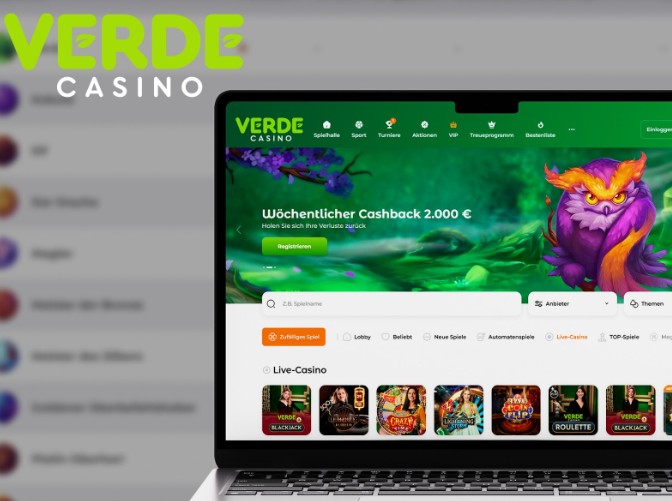

Welcome to our Verde Casino app account settings guide for Belgium. Based on our experience, a smooth mobile casino session hinges on both app installation and configuration as much as on the games. This guide covers the practical steps we recommend for getting the most from your Verde Casino account on a phone or tablet. We begin with device compatibility and installation, because a stable app is the foundation for reliable account access. Next, we go through registration, profile preferences, security controls, and responsible gaming tools you can manage directly within the app. We also compare the mobile experience with the desktop site so you can make informed decisions about where to play. Finally, we cover common issues that may occur during installation, login, or everyday use. Whenever exact system requirements or available settings may change, we encourage you to check the official Verde Casino page for the most current details. This guide is meant to be a clear starting point, not a replacement for official support.
Approved Devices and System Requirements
The Verde Casino app is designed for current Android and iOS devices, and the performance is usually best on phones or tablets that have been upgraded recently. Rather than offering a set list of models, we recommend checking that your device has the most recent operating system version available to you. The app may still operate on somewhat older systems, but performance and availability to functions such as biometric login or push notifications can be affected. Most devices from the previous several years should be suitable if they satisfy minimum requirements for storage, screen resolution, and a steady internet connection. If you are running a device purchased outside Belgium, the app will normally work as long as your Apple ID or Google Play account is active and authorized for the region. Before getting, verify that you have enough free storage and are not employing a work profile that could prevent installations.
- Your device is updated to a current OS version.
- You have reliable Wi-Fi or mobile data.
- At least a few hundred megabytes of empty storage.
- Screen lock or biometric login is enabled.
Managing Profile, Preferences, and Communication Settings
Your account settings are available from the profile or account menu inside the app. Here you can update the contact information that Verde Casino uses for verification and withdrawal requests. We suggest regularly checking that your email address and mobile number are correct, because these are important for password recovery and security alerts. You can also select your language and display preferences, choose how you want to receive promotional messages, and decide whether push notifications are useful for you. If you want fewer interruptions, turn off marketing push messages but keep transactional notifications enabled, such as deposit confirmations or withdrawal updates. The app may also let you adjust a time zone or odds format if sports betting is part of the offering, but exact options can change. Any change you make should show a confirmation message. If it does not, restart the app and check whether the update was saved before continuing.
Ways to Install the Verde Casino App in Belgium
The best way to install the verdecasino app update app for Belgium starts from the main Verde Casino website via the mobile browser on your phone. We do not recommend getting installation files from other websites, because those copies could be old or insecure. When you go to the official page on your device, it will detect your operating system and present the right version. On Android, you could need to approve that your browser has permission to install unknown apps if the download is offered outside the Google Play Store. This process is known as sideloading, and it is typical for versions offered directly from an operator. Maintain that permission limited to the main page. On iOS, installation usually follows the App Store process, therefore your device must be signed in to the Apple ID you use in Belgium. If you do not see the app via a store, the website download is the trustworthy method.
- Open the authorized Verde Casino site via your mobile browser.
- Tap the app download section or mobile app page.
- Choose the Android or iOS version as directed.
- In case Android prompts you, allow installation from this browser only.
- Access the downloaded file and adhere to the on-screen installer.
- Open the app and log in or create a Verde Casino account.
App Features Compared with the Desktop Site Version
The mobile app is more than a compact copy of the Verde Casino desktop site. In the app, the layout is optimized for touch, so the most important account and banking controls are usually kept within thumb reach. Push notifications are a clear advantage: they can alert you about account activity, payment confirmations, and important updates without opening the site. Mobile apps also are likely to use less data after the initial download because game assets and navigation elements are stored locally. That said, some past promotions or detailed account reports may be simpler to review on a larger screen. If you like managing statements, adjusting many settings at once, or contacting support while browsing, the desktop version can be a useful companion. For daily deposits and withdrawals, game access, and quick settings changes, we consider the app is frequently the more convenient choice.
Establishing Your Verde Casino Account in the App
Once the app is running, the next step is to set up your Verde Casino account. If you hold an account from the desktop site, use the same email and password; your balance, transaction history, and settings should load automatically. If you are new, pick the register option and enter your personal details precisely as they appear your identity documents. Players in Belgium should be prepared for an age and identity verification step, which may require a copy of an ID, proof of address, or an extra confirmation. We recommend completing this step early, because unverified accounts often encounter limits on withdrawals or certain payment methods. During registration, you may also choose your preferred currency, create a password, and decide whether to enable promotional messages. Take your time and always avoid typing sensitive data on public screens.
When you are requested to verify your identity, the app will usually instruct you to photograph your document with the phone camera. Make sure the room is properly illuminated, the document lies flat, and all edges are visible. Some accounts may also demand a short video or a bank statement, but this is based on the verification level needed. If your first attempt is denied, do not set up a second account; instead, resubmit using the upload option in your profile. Verification usually happens quickly, but busy periods can make the check last longer. While waiting, you can usually browse the app, but withdrawals and certain payment methods may stay restricted until the check is finished. We suggest keeping the app installed and notifications on so you do not overlook a request for more information. This step secures your account and helps the casino fulfill its legal obligations.
Protection, Login, and Safe Play Controls

Verde Casino’s app offers several account protection features that we advise enabling as soon as your account is active. If your device supports fingerprint or face recognition, turn on biometric login to hasten sign-in without weakening security. Use a unique password that you do not use again on other websites, and consider enabling two-factor authentication if it is offered. The app may also let you check active sessions or sign out from other devices, which is helpful if you have logged in on more than one phone or tablet. When using shared or public Wi-Fi, avoid logging in until you are on a trusted network. For added control, the responsible gaming section lets you adjust limits on deposits, losses, or session time. These tools enable you keep play within your own budget, and increases may have a cooling-off period. Always check the official responsible gaming pages for the most current options.
Resolving Common Application and Login Difficulties
If the app won’t install, is slow to open, or a setting does not save, try simple checks before contacting support. Confirm that your operating system is current and that you have a steady connection. On Android, confirm whether the browser’s install permission is still active; on iOS, verify you are signed in the correct Apple ID. If login fails, change your password only through the genuine website or app link, not through a message you did not request. Clearing the app cache or rebooting your device can fix many performance issues, while a complete reinstall should be a last step after you note your login and any safe gaming settings. If a verification document is rejected, verify that the photo is well-lit and that all corners of the document are shown. For unresolved issues, access the support section in the app or the main Verde Casino website.